
Project detail • Robotics / Wi-Fi Control • 2025
Wi-Fi-Controlled Omnidirectional Robot (Mecanum Wheels)
A 3D-printed mecanum-wheel robot controlled from a browser over Wi-Fi, with an OLED “eyes” display that reacts to movement commands.
Project summary
This project was developed as part of the Hardware & Robotics 3 course and focused on building a compact robot with true omnidirectional movement using four mecanum wheels. The goal was to combine wireless control, custom mechanical design, and expressive feedback into a single working prototype.
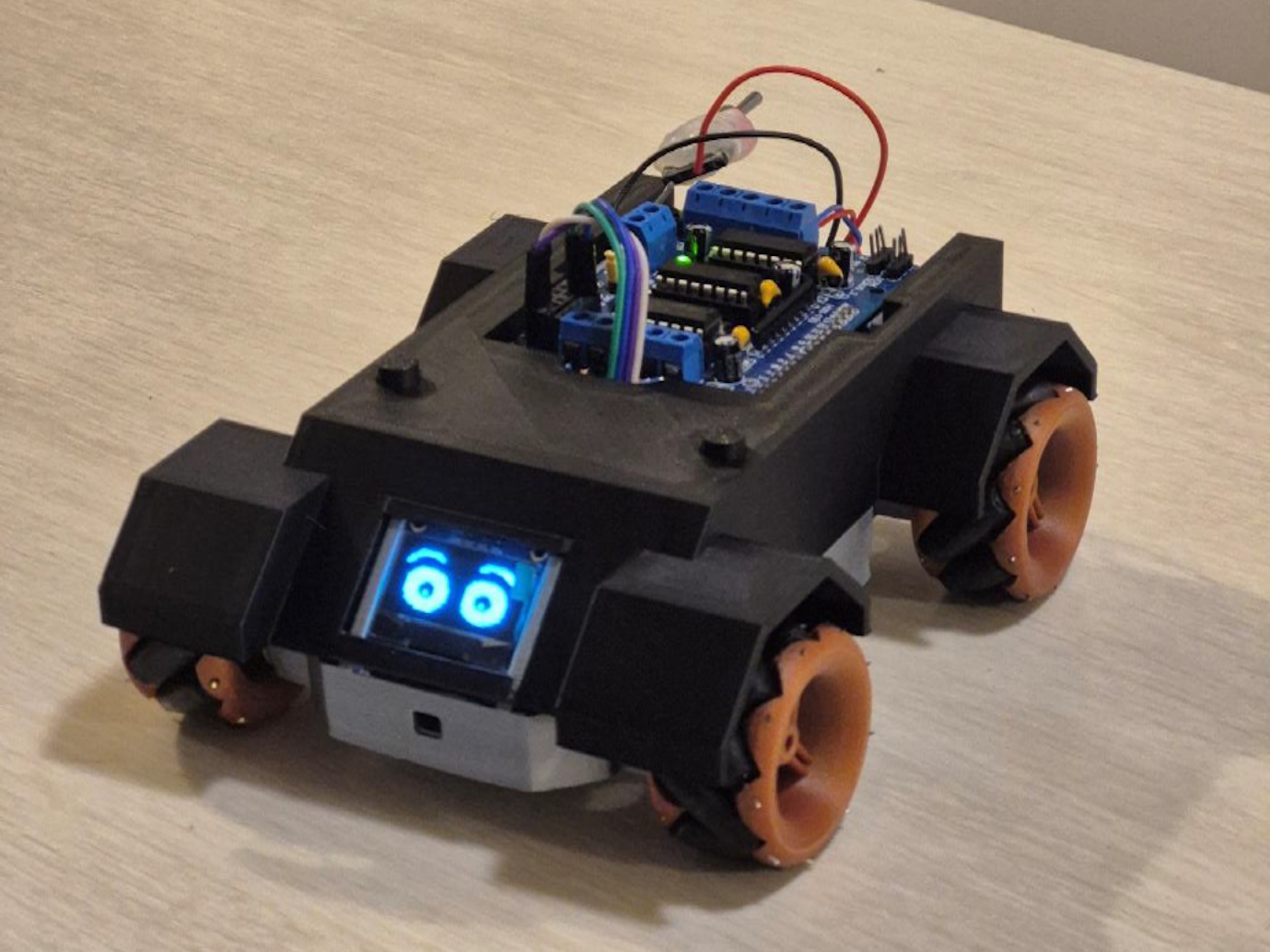
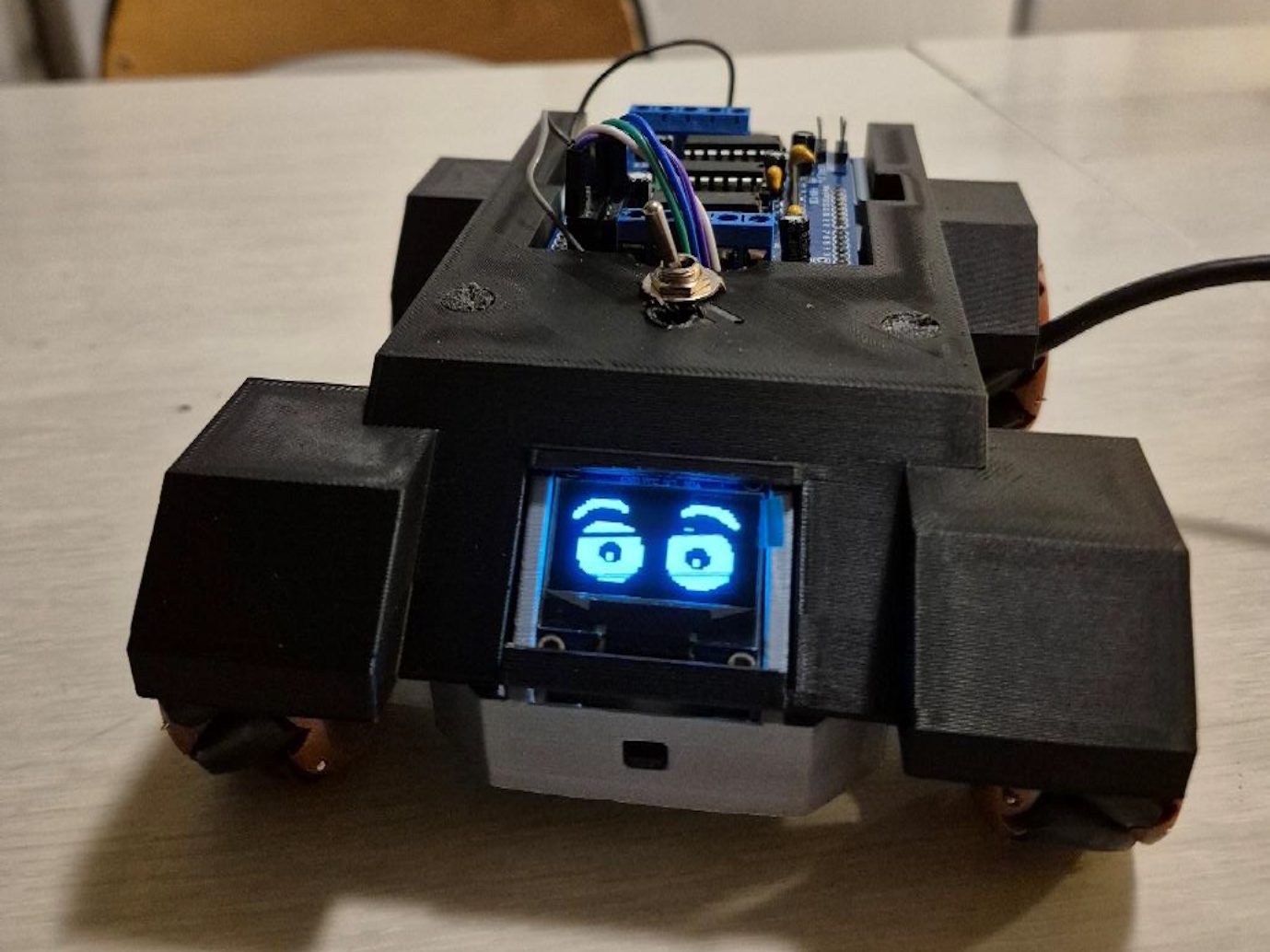
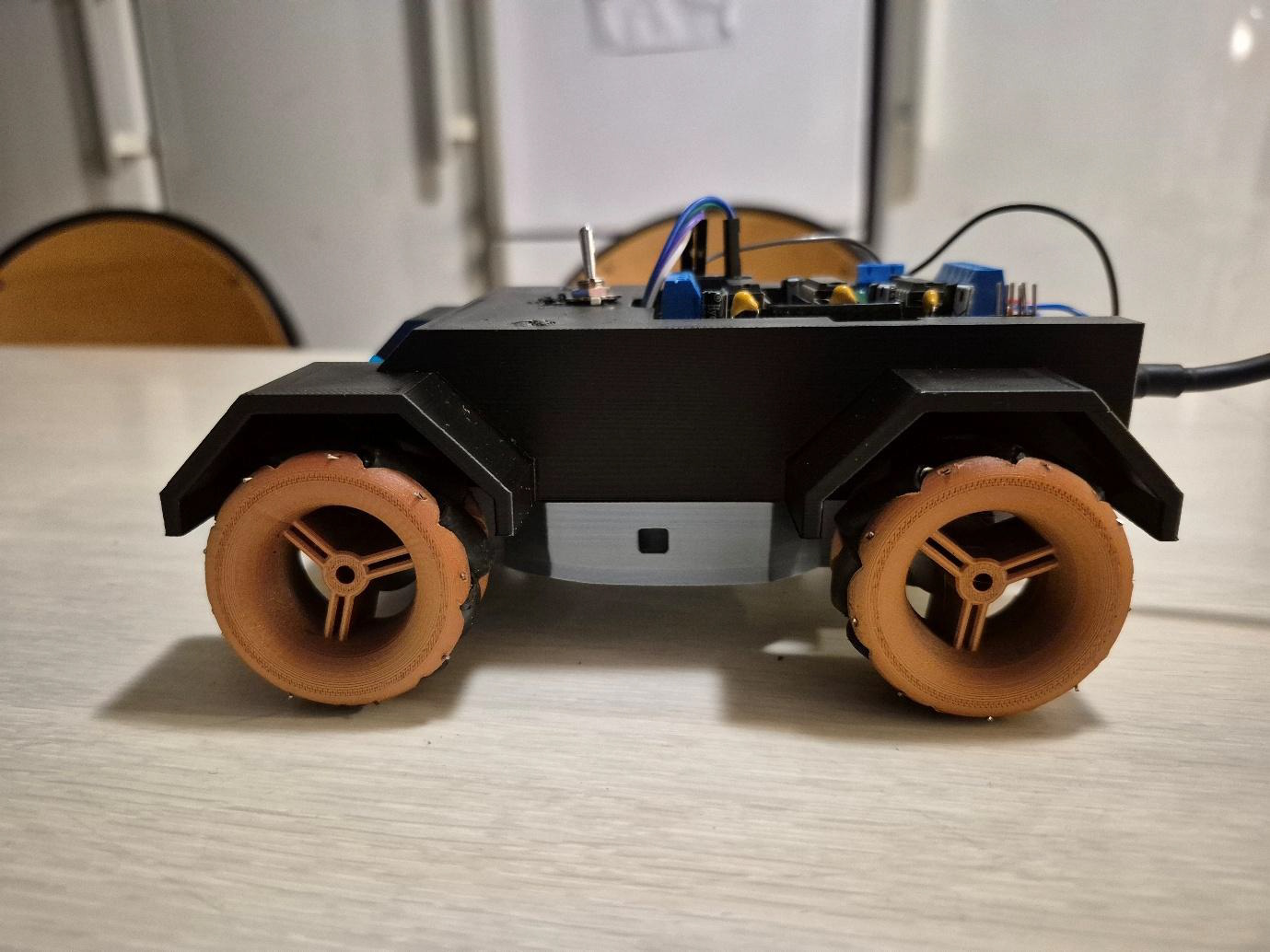
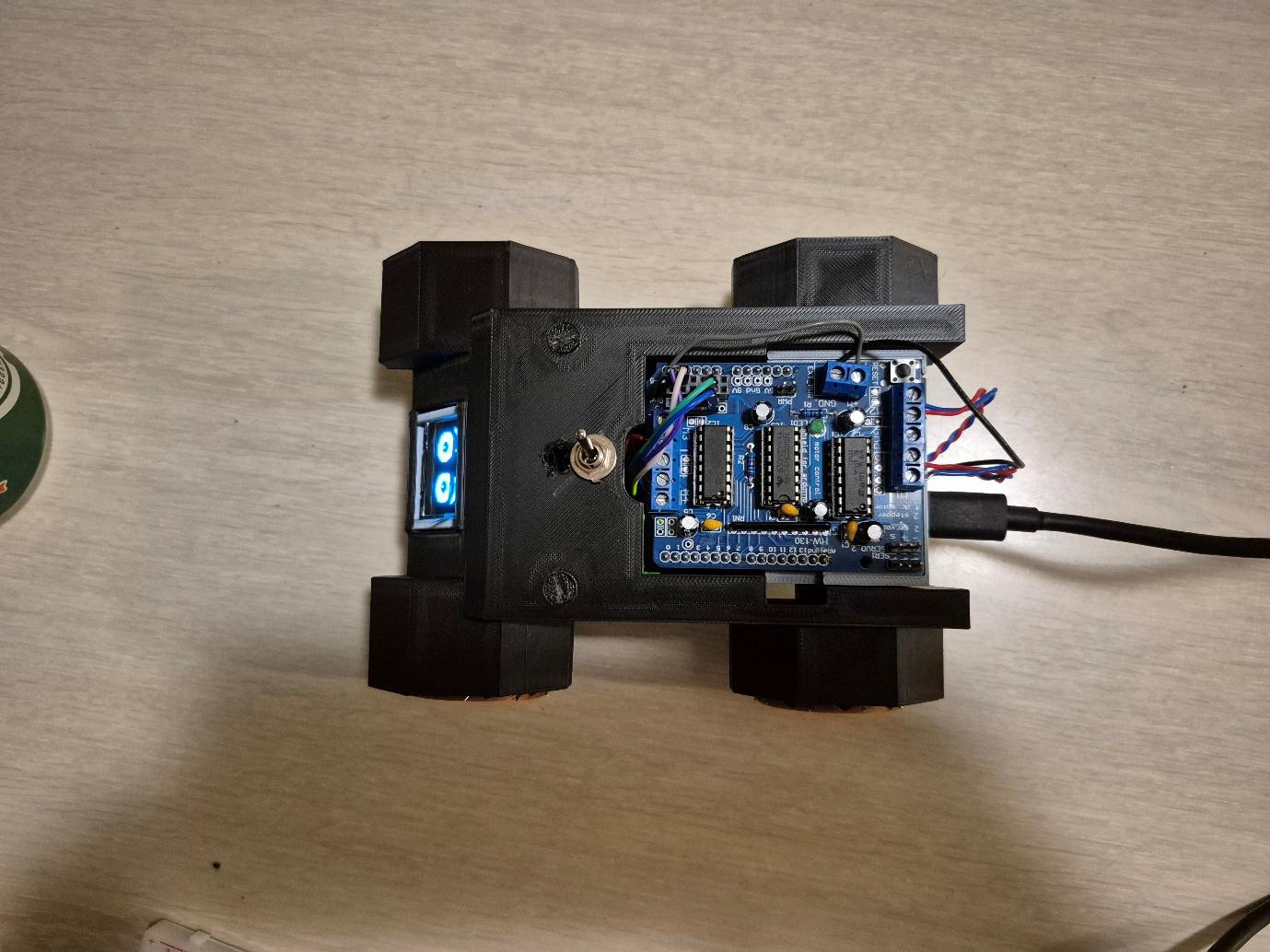
The final robot uses an Arduino Uno R4 WiFi, an L293D motor shield, four N20 gear motors, a 3D-printed chassis, and an SSD1306 OLED display mounted at the front. It connects to a phone hotspot, hosts its own small browser-based control page, and responds to movement commands with both wheel motion and animated “eyes” on the display. The result is a portable robotics prototype that combines mechanical iteration, embedded programming, and browser-based control in one system.
Main media
Gallery
Overview
The robot was designed to move in any direction without rotating its chassis, using the force pattern created by four mecanum wheels with rollers mounted at 45 degrees. This made it possible to drive forward, backward, sideways, diagonally, and rotate in place using different wheel direction combinations.
To keep the system portable and easy to demonstrate, control was handled through a browser instead of a dedicated app. The robot joins a phone hotspot and serves a small web page directly from the Arduino, so any connected device can steer it using simple HTTP requests. On top of that, an OLED display was added to give the robot a more expressive front-facing identity through eye animations linked to movement.
My role
This was a two-person project. My main contribution was on the mechanical and visual side, where I designed the robot body, worked on the physical hardware setup, and created the OLED eye animations used during demonstrations.
- Designed the chassis and mechanical parts in Fusion 360
- Worked on the physical hardware layout and overall chassis construction
- Helped iterate the body design to improve rigidity and fit
- Created the OLED eye animations used as visual feedback on the robot
- Contributed to the overall presentation and demonstration quality of the final build
Process and development
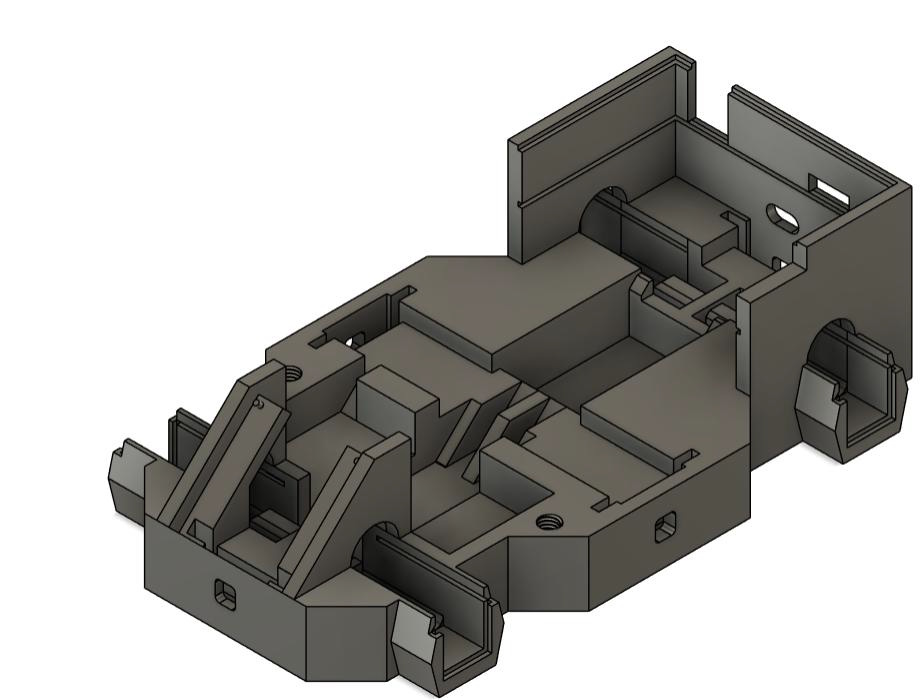
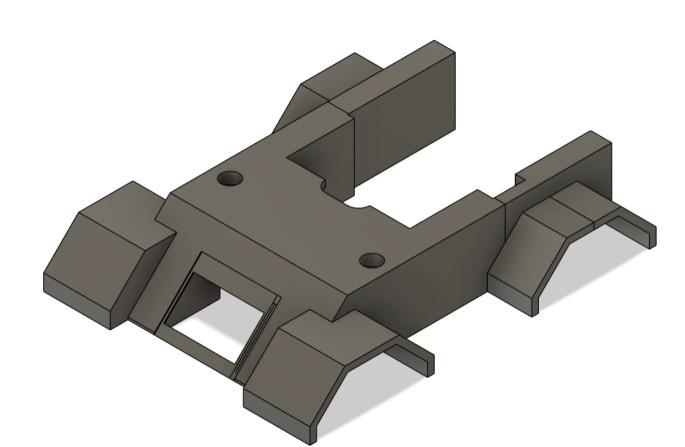
The chassis was developed through several CAD iterations in Fusion 360. The early version established the footprint and internal cavities for the motors, battery, and electronics, while later versions added structural reinforcement, tightened tolerances around the motor housings, and improved mounting for the OLED and Arduino stack.
In the final revision, the chassis was split into a bottom shell and a removable top shell. This made assembly easier and allowed the electronics to be clamped in place more securely. The final printed system used PLA parts for the body and wheel hubs, with individual rollers assembled into each mecanum wheel.
On the software side, the robot uses the Arduino Uno R4 WiFi to connect to a phone hotspot, host a simple web server, and decode browser-based commands. The command system maps HTTP requests to movement modes, while speed-ramp logic helps avoid sudden slips or current spikes. Although the VL53L0X distance sensors planned for the project could not be included in the final build, the design left room for later integration.
Challenges and solutions
Challenge
One major challenge was getting consistent movement from the mecanum drive. Early testing showed that some diagonal and sideways commands produced curved motion, and the first chassis revisions also allowed too much flex and component movement during handling.
Solution
The motion issue was solved by reversing the polarity of two motors rather than rewriting the full drive map. On the mechanical side, later chassis revisions tightened clearances, added reinforcement, and boxed in the Arduino standoffs so the electronics stayed fixed even when cables were inserted or removed.
Outcome and reflection
The final robot met the main project goals: it could move omnidirectionally using mecanum wheels, receive wireless commands through a browser, and provide visual feedback through the OLED display. The combination of 3D printing, embedded programming, and Wi-Fi control made it a strong demonstration of both robotics and interactive prototyping.
One of the strongest parts of the project was the way the mechanical design and electronics worked together in a compact form factor. The chassis became much more reliable through iteration, and the OLED display helped give the robot more personality during demos.
Looking back, the most natural next step would be to finish the distance-sensor integration and expose that data in the browser interface. That would move the project closer to semi-autonomous behavior while building directly on the structure already in place.
Want to see more?
You can go back to the projects overview or get in touch if you want to know more about this project.